







Explore tips and tricks from fellow Guides and the GUIDEcx team!
Recently active
The number one momentum killer in onboarding is “fear.”When prospects sign on the dotted line and become new customers they are overwhelmed with excitement, but also fear.Think of the last time you made a big purchase. 🧐Maybe it was a new car!Maybe it was a vacation to some tropical paradise!Chances are you felt excited, but in the back of your mind your brain is looking for evidence that it was a good decision.That’s called cognitive bias.It’s just your brain (mankind’s best friend because it’s evolved to protect us from all sorts of harm) trying to confirm that your actions (in this case making a big purchase) was the right choice.So put yourself in your customer’s shoes.They just purchased an amazing software/service.They would be so sad if things didn’t go as smoothly as they were promised from sales.One antidote to fear is to “share understanding.”In this case it can be as simple as a one-pager that explains “What to Expect” for their onboarding.When sales shares something as sim
Hi again - Elan here 😄I’ve got an amazing GUIDEstory to share with you today.Say hello to Jackie, Sr. Director of Client Success at HBI Solutions.Jackie’s team has found themselves working tirelessly to serve their clients, but struggled to balance easy customer communication with internal efficiency, including clear visibility into the team’s workload and revenue impact. See how Jackie was able to improve customer engagement by 95% and show her team’s impact on revenue to executive leadership by partnering with GUIDEcx.
Hi there - Elan here 😄One of my favorite things to do is to revisit successful implementations to learn what worked so we can repeat that.There’s so much we can learn from studying successful implementations, but often we forget to because it goes so smoothly. Raise your hand if you find yourself paying more attention to the AT RISK customers more than the HEALTHY ones.So that’s why I want to start the GUIDEstory series.As you know, GUIDEs are the best storytellers. At the end of a long day, they gather around a fire to recount the stories of the day.Today we’re diving into how Boulevard, a customer experience platform, was able to reduce their onboarding time from 20 to 10 hours, double their productivity, and achieve record-breaking launch months.I sat down with Will Patterson to discuss their secrets to success.I am happy to share Boulevard’s GUIDEstory.🔑 Key Takeaways1️⃣ Assess and Recognize: Identifying inefficiencies and challenges in the onboarding process was key. He identifi
Remember that local pizza shop called “Domino's Pizza”?This is their stock price over the last 20 years.It was worth around $8 back in 2004.Today it’s worth over $400.So what changed?In 2008, Domino's realized that customer uncertainty about 🍕 delivery times was impacting their bottom line.As such, they decided to implement the 'Domino's Pizza Tracker' which provided full transparency to customers throughout the order process.The Lesson? 📖Research has found that it is less psychologically stressful to know something negative is about to happen (i.e. late pizza 🚙) than it is to be left in uncertainty (i.e. no idea where 🍕 is).Bad news is better than no news. Keep your customers updated and you’ll see some serious returns.
Projects tags a great way to organize your projects, make them easier to find, and provide a visual reference and custom report for your team members! Learn more about how to use Project Tags here!
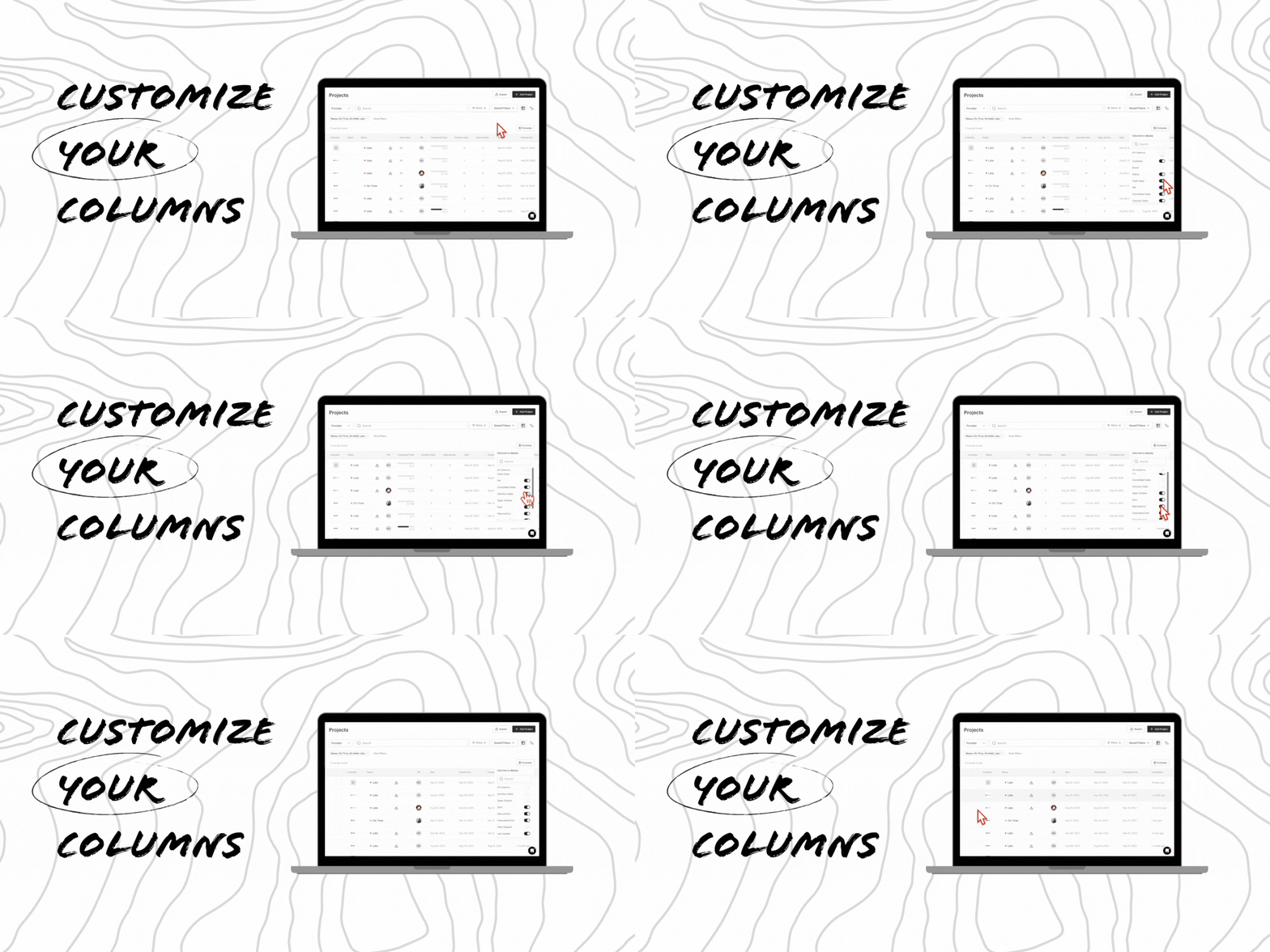
As you may know, GUIDEcx captures and displays a lot of data. Sometimes that data can be helpful and other times you just want more white space.We know different people care about different views and it's not a one-size-fits-all. Did you know that each column is dynamic and you can hide/show and reorder columns exactly how you want?You have the ability to change which columns are displayed on the "Projects" and "Templates" pages (This functionality is coming soon for the "Tasks" page).PRO-TIP: Pair this with filtering to create your perfect view! To learn more about how to do that check out this helpful guide! FAQs Can I display custom columns i.e. I want to see my custom fields, is that possible? Not yet. We know that many of you would like this functionality and we are working on some foundational elements that can enable that future functionality. Is the view I create available to my whole organization or is it available to just me? The view you customize is just for you! The
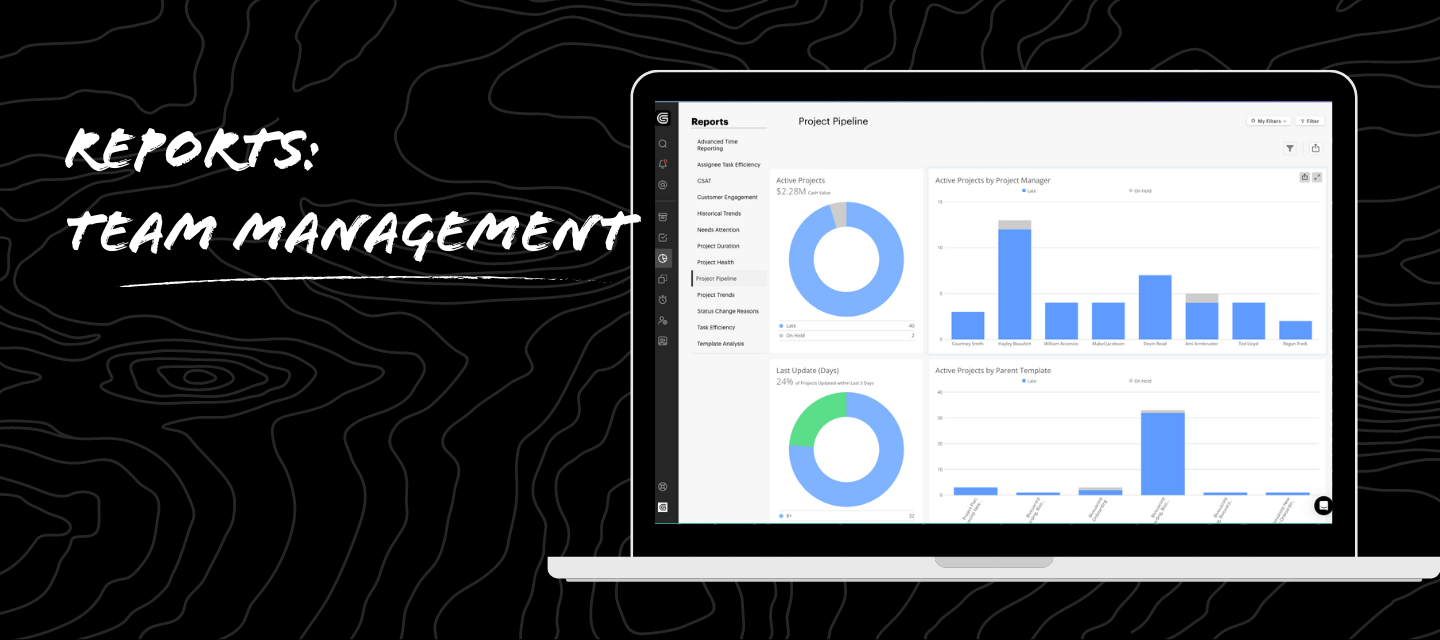
🚀 Elevating Team Management with Data-Driven Insights!In today's dynamic work landscape, effective team management requires more than intuition – it demands insights backed by data. 📊 Here are some ways leveraging data in GUIDEcx can significantly impact team productivity: Performance Metrics: Measure what matters! Track key performance indicators to identify strengths and areas for improvement. Celebrate wins and optimize strategies based on data insights. You can look at completed projects, project duration, CSAT, and Assignee Task Efficiency to see how each team member is performing! Resource Allocation: Optimize your team's potential! Analyze data in Resource Management to ensure tasks align with skills, preventing burnout, and maximizing productivity. Communication Analytics: Break down communication barriers! Analyze data to identify bottlenecks and streamline workflows for enhanced productivity and a collaborative team culture. Training and Development: Invest in growth
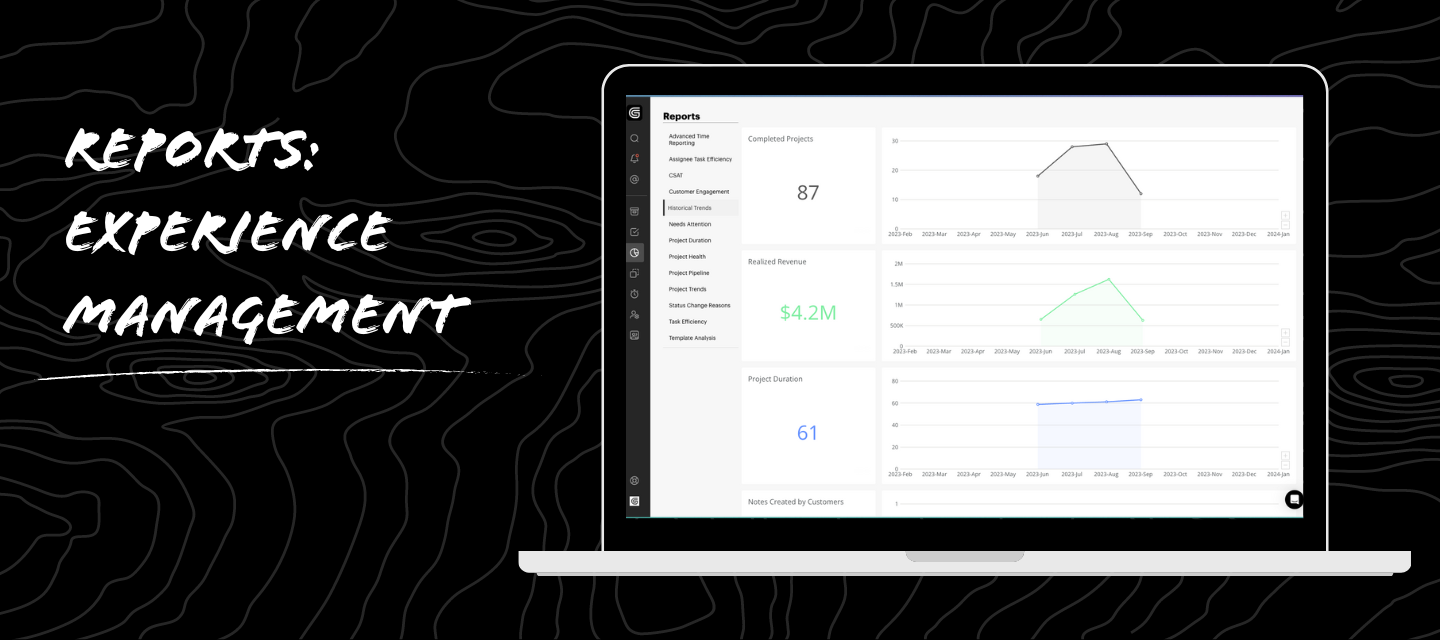
There are all sorts of out of the box reports found in GUIDEcx that can help you elevate your onboarding experience. Template Analysis is there to help you identify what is missing on a template (i.e. instructions, experience overview, etc).Historical Trends help you see how many projects have been completed and their average duration.I’d love to hear how you’ve used reports to identify opportunities for process refinement.
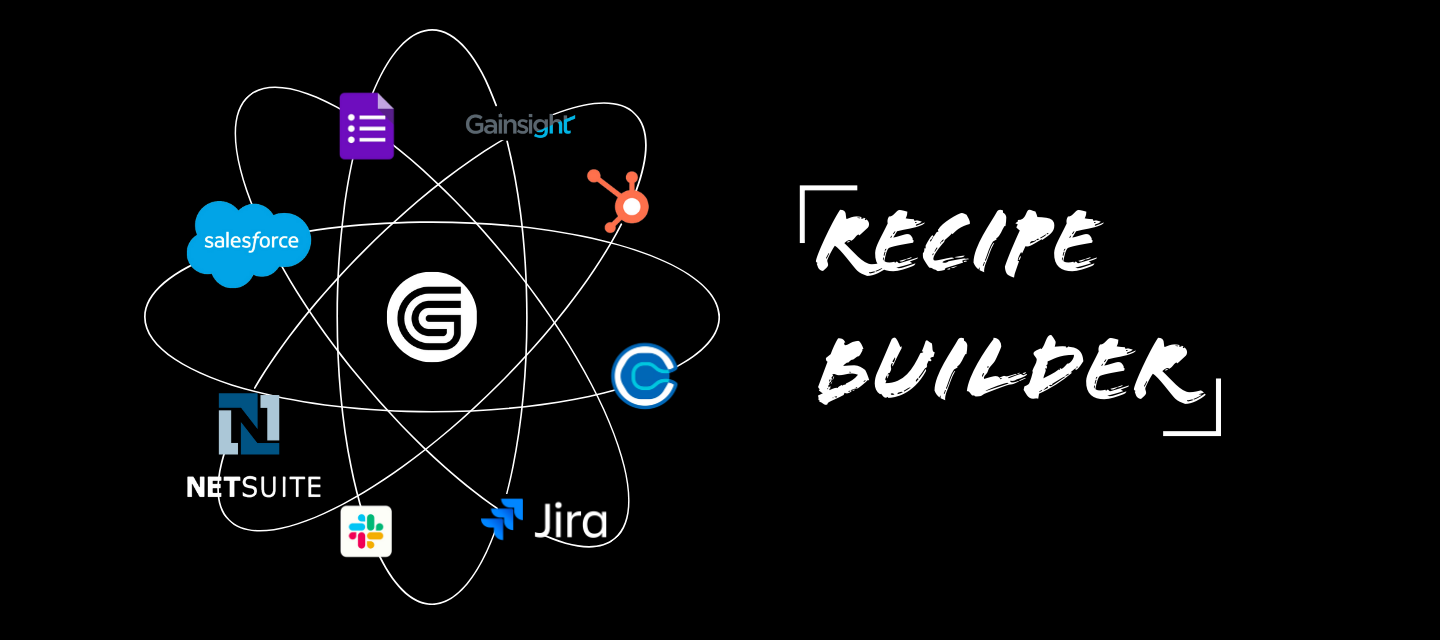
GUIDEcx launched its Recipe Builder in 2023 to better serve you and your integration needs.Recipe Builder allows you to connect data from GUIDEcx to your tech stack and vice versa. This allows you to capture valuable information from sales and pass it into GUIDEcx for onboarding and then into customer success for a more cohesive customer journey.And the best part? You can customize it exactly how you want.I’d love to hear what integrations you’ve created or are wanting to create!
It’s a new year, which means we have new goals, aspirations, and more!Since we’re a community dedicated to all things onboarding, implementation, and project management… I’d LOVE to hear what your goals are for this year! Comment below!
We are looking for a good “how-to” guide to present Guide to external clients who do not have tasks directly assigned to them. It may all seem overwhelming/confusing to them to look at a project and not have any tasks assigned.Any tips/notes are helpful :) Thanks in advance!
If you’re in SAAS you know that one of the biggest hurdles to overcome is change management. That’s because humans are creatures of habit. If we were onboarding computers, all we’d need to do is change a few lines of code - then presto change-o the new solution is rolled out.That’s why I believe that software will never solve the problem.We can’t just spit out facts and expect that to drive organizational change. Change is complex because humans are complex.Take me for example. I’d love to be in tip top shape. I’d love to have healthier workout habits. I know the stats. I know the numbers. I understand WHY I need to change. Heck, I could buy a gym pass to change, but the gym will not change me if I don’t show up and put in the work.That’s the key. Change takes effort. Intentional, consistent effort. So how do we help new clients drive that change? Please comment below (bonus points for sharing actionable pro-tips)! I’m all ears.
SaaS Customer Onboarding has been my professional focus for the past 10+ years. Two big areas that seem to continue to separate smooth onboardings from rough/extended ones are these: - Client Availability- Client Commitment How has your organization worked to address these or any helpful tips/tricks for addressing these two areas?
We’re just starting to look at formalizing our onboarding process. One full-time CS manager manages active accounts, renewals, training, and sometimes new trials/opportunities. They will be helping with onboarding as well. Can you share your tips for digital/automated onboarding and also how to sell other team members on the importance of it? Thank you in advance!
Hi everyone!We’re looking to streamline a pilot program for our customers and are in the process of writing success criteria that can be fairly general and tweaked to individual customer needs. Setting criteria for successful pilots is kind of tricky in that you want to be sure you’re not digging yourself a hole with success factors that aren’t attainable in that pilot time frame, or could be derailed by tech issues that pop up down the road. Does anyone have any advice, LinkedIn groups to follow, Ted Talks, a friend of a friend, etc. etc. etc. that can help me in writing these as a standard template for our organization to use?Thanks so much!
Similar to Project Tags, Task Tags are a great way to label tasks with visual cues! Learn more about how to use Task Tags here!
Happy Onboarding October! This is the second of five (2 of 5) QOTWs for Spooky Season!For this question, I’d love to see what strategies you’ve used currently or in the past to boost customer adoption of new products/features! How can you make adopting new tools or services less scary for customers? Drop your thoughts below!!!
In my personal experience with mismanaging context switching, despite loving to be involved with building and supporting wherever I can, I’ve found that over time (no matter how tough I think I am), I find myself in moments where I’m not showing up to my work the way I want to. Some of the symptoms I start to notice: Mental Fatigue: Adapting to different tasks repeatedly can leave me feeling drained. Efficiency Drop: The mental effort of refocusing makes it difficult to complete tasks in a timely manner. Quality Compromise: frequently switching roles leading to errors. Deep Focus Impediment: Frequent context shifts hinder deep focus. Workflow Disruption: Constant switching disrupts workflow consistency. Stress and Burnout: Managing multiple roles introduces stress and a feeling of burnout. Communication Hurdles: Collaborating with diverse teams complicates communication. Time Management Struggle: Balancing roles can lead to rushed tasks due to limited time. Learning Cu
Do you? Don’t you? If yes, do they usually show up? If they do show up, then how do you set that expectation for them to show up?
I just met with a fellow onboarding person and they stumped me - so I’m determined to get to the bottom of this! They offer a self-serve platform (customers buy their software and set it up themselves). From there they get lost/disengage and they never hop on a call.This causes a lot of lost accounts. Does anyone have a solid idea on how to address that?Couple of things to know:They don’t have in-app guidance Their customers are not super tech savvy. The customers are on their feet and on the go a lot Their customers tend to ignore phone calls, blind events, emails, and texts.
No one likes to get called out by the teacher!! If you practice to message customers on late tasks within 1-3 days of a task becoming overdue, you increase the chances of on time task completion for all future tasks because your customer realizes you’re keeping a close eye! But don’t spam the resend button 😅 . Leave a note first and then hit resend and give them the opportunity to act. Rinse and repeat for future late tasks. Check out Best Practices below!
Q: I have updated my project start date to reflect a new, later date, and I see the correct (revised) dates in the Project Overview:Project Start Date reflects the new start date I’ve entered Planned End Date also reflects the new end date I’ve defined Forecasted End Date is also automatically updated to reflect the new start dateFor example, from Project Start Date = 5/19/23To Project Start Date = 1/1/2024 But why do I still see some start dates in the project reflecting the original project start date?For example, I see date information relating to the original start date in:Some Milestone Headers Some Task cards The GANTT Viewer A: This is likely because 1 or more of the following causes:Any tasks that were already marked DONE prior to your revision of the project start date, REMAIN DONE on their DONE date. Any tasks with dependencies on those ‘previously-marked-DONE’ tasks will also show that they can start on dates as soon as possible after their input dependencies. As a result, i
Check out our Help Article on Which Customer Team Members to Invite, and what level of Project Visibility may be best for their role!
Happy Onboarding October! This is the first of five (1 of 5) QOTWs for Spooky Season!For this question, I’d love to explore what retention strategies and tactics have been most effective in keeping customers from disappearing? Nothing is spookier than a customer who churns. What ways have you used that worked to keep them safe? Drop your thoughts below!!!
Want to learn more about PM Notes? Check out our PM Notes Help Article and Customer Engagement MasterClass recording to start using them today! Send your customers off in style using the PM Note. Here's how you do it:1. Have an internal hidden task name "Add PM note" at the end of your template2. Before marking the project as done, add a personalized note to the PM Note.3. Mark the task as done.4. Mark the project as done.5. CelebratePRO-TIP: Things to include in your PM note. Thank you's, Congratulations, reminder about CSAT survey, and links to post-onboarding resources (help center, community, etc).How do YOU use PM notes? Let us know in the comments below!
Already have an account? Login
No account yet? Create an account
Enter your E-mail address. We'll send you an e-mail with instructions to reset your password.